

Find Words
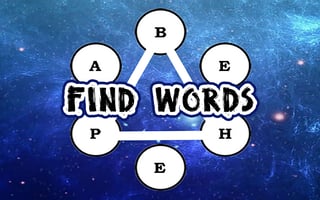
Test your vocabulary agility with Find Words! Rearrange letters to uncover hidden words within a given term. Boost your score by spotting longer words and rely on the hint system for tricky puzzles. Enjoy hours of challenging and...
About Find Words
What kind of game is Find Words?
Find Words is a free online brain game in the SSA game library. It is built for quick browser play, so you can open it without installing a separate app or download.
- Primary genre: brain
- Good starting point for players searching around: brain
- Device fit: Mobile and desktop
Why people enjoy it
Find Words is best approached as a 5-15 minutes session: open it, learn the loop, and decide whether the challenge feels relaxing, skill-based, or replayable enough for another run.
- Estimated session: 5-15 minutes
- Estimated difficulty: Easy to thoughtful
- Similar styles to compare: Puzzle, Brain games, Hidden object, Strategy
How it plays
Expect a quick-play browser experience where the goal is to learn the controls, try a short run, and decide whether this brain style fits your mood.
- It uses a landscape layout, so screen space and controls may feel different on phones, tablets, and desktop monitors.
- The game iframe is loaded only when the page is viewed, which keeps the library page lighter for browsing.
Quick tips before playing
Before opening Find Words, check whether the game looks better suited to quick attempts, careful practice, or a longer brain session.
- Use the landscape layout as a clue for the best screen size.
- Give the first run a short test round to learn movement, timing, and menu behavior.
- Library rating signal: 1.6 out of 5 after normalization.
Who will enjoy it?
Try Find Words if you like brain games that are easy to launch, simple to test, and flexible enough for a short break between other tasks.
- Library source: Gamepix
Rating0.32
Average session5-15 minutes
DifficultyEasy to thoughtful
DeviceMobile and desktop
PaceCalm and focused
Genrebrain
Test your vocabulary agility with Find Words! Rearrange letters to uncover hidden words within a given term. Boost your score by spotting longer words and rely on the hint system for tricky puzzles. Enjoy hours of challenging and rewarding linguistic fun designed to enhance your wordplay skills.
Discover more from Simply Sound Advice
Subscribe to get the latest posts sent to your email.
Game Details
- Genre
- brain
- Device
- Mobile and desktop
- Layout
- Landscape
- Source
- Gamepix
Tips for Beginners
- Start slowly and look for the easiest match, path, or clue before making risky moves.
- Use the first minute to understand the board layout instead of rushing through guesses.
- If you get stuck, step back and scan corners, repeated symbols, empty spaces, or blocked pieces.
This is a brain Game
Explore more brain GamesGame FAQ
Can I play Find Words on mobile?
Find Words is marked as mobile-friendly, but the best experience can still depend on your screen size and browser.
Is Find Words free?
Yes. Find Words is listed as a free browser game in the SSA game library.
Do I need to download anything?
No download is required. The game opens in your web browser from the game frame on this page.
Can I save progress?
Most free browser games do not guarantee cross-device progress saving. Use Favorite Game to save the game page to your SSA Dashboard when account features are available.
What genre is Find Words?
Find Words is listed under brain. You can use the genre link on this page to find more games with a similar style.
Best Alternatives to This Game

![Peggle [FLASH]](https://img.gamemonetize.com/ch9y1sqndud9f3t0pq8bm0bjv6mf1e3u/512x384.jpg)


Looking for something else?
Search the full game library and jump into another browser game instantly.
Search all 35,000+ gamesMore than games?
Discover 100+ free calculators, quizzes, planners, and life tools-from finance to health to relationships.
Search NowJoin the Conversation
Discuss games, share scores, design your profile, and meet other members on Simply Sound Society.
Join Today